With this release, you can now specify which products are part of your Managed Services. Based on this, security ratings can also show up in the “Managed Services” and “Unmanaged Services” views—available in all relevant areas of the platform. Plus, we’ve significantly improved the Agent’s scan speed, made the platform faster, and fixed several bugs related to evaluation and display.
Set up your Managed Services & custom security rating
From now on, you can specify which areas of your customers are handled by you as part of your Managed Services. In practice, this means you define which products fall under the MSP contract, and which are outside of your responsibility.
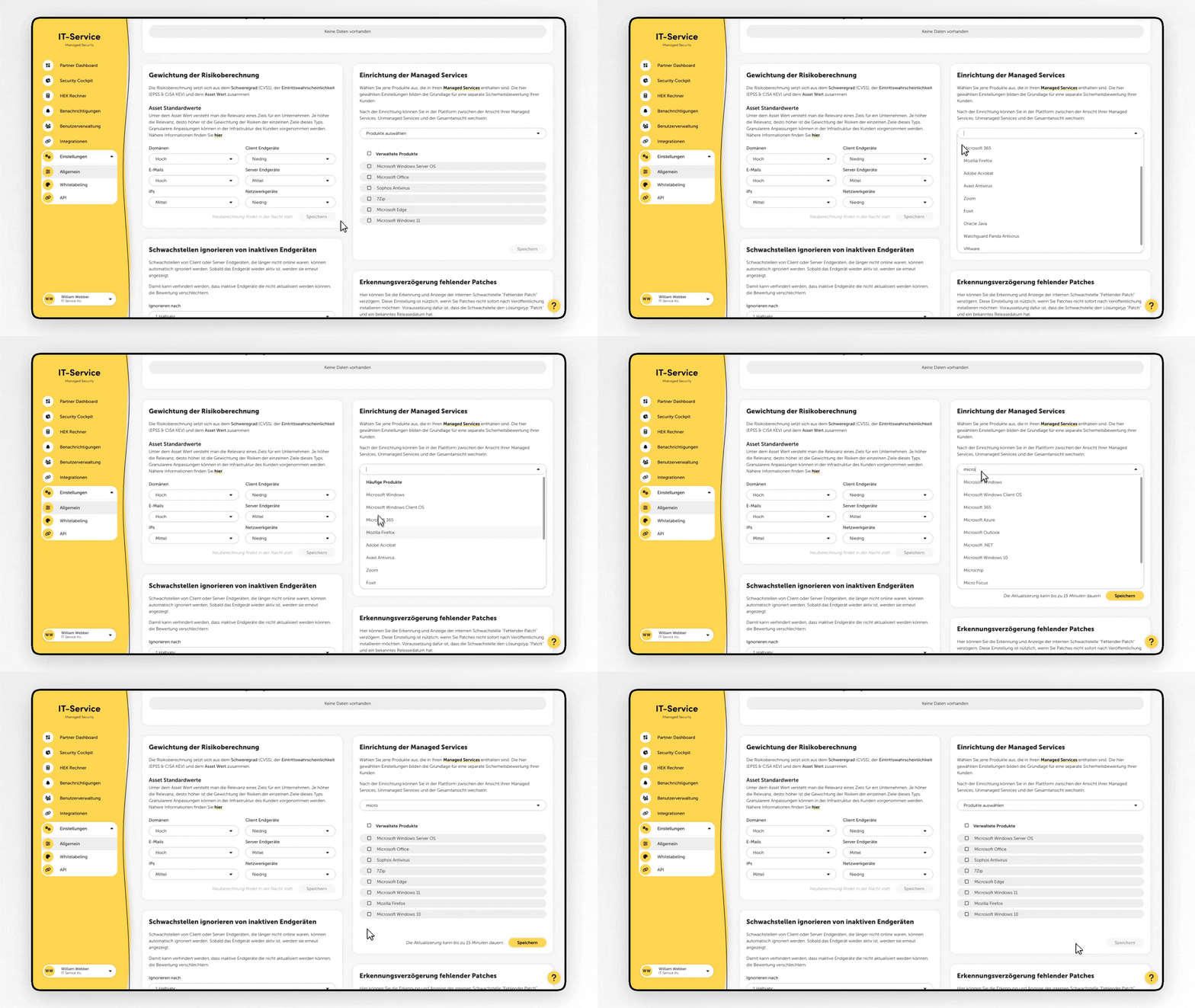
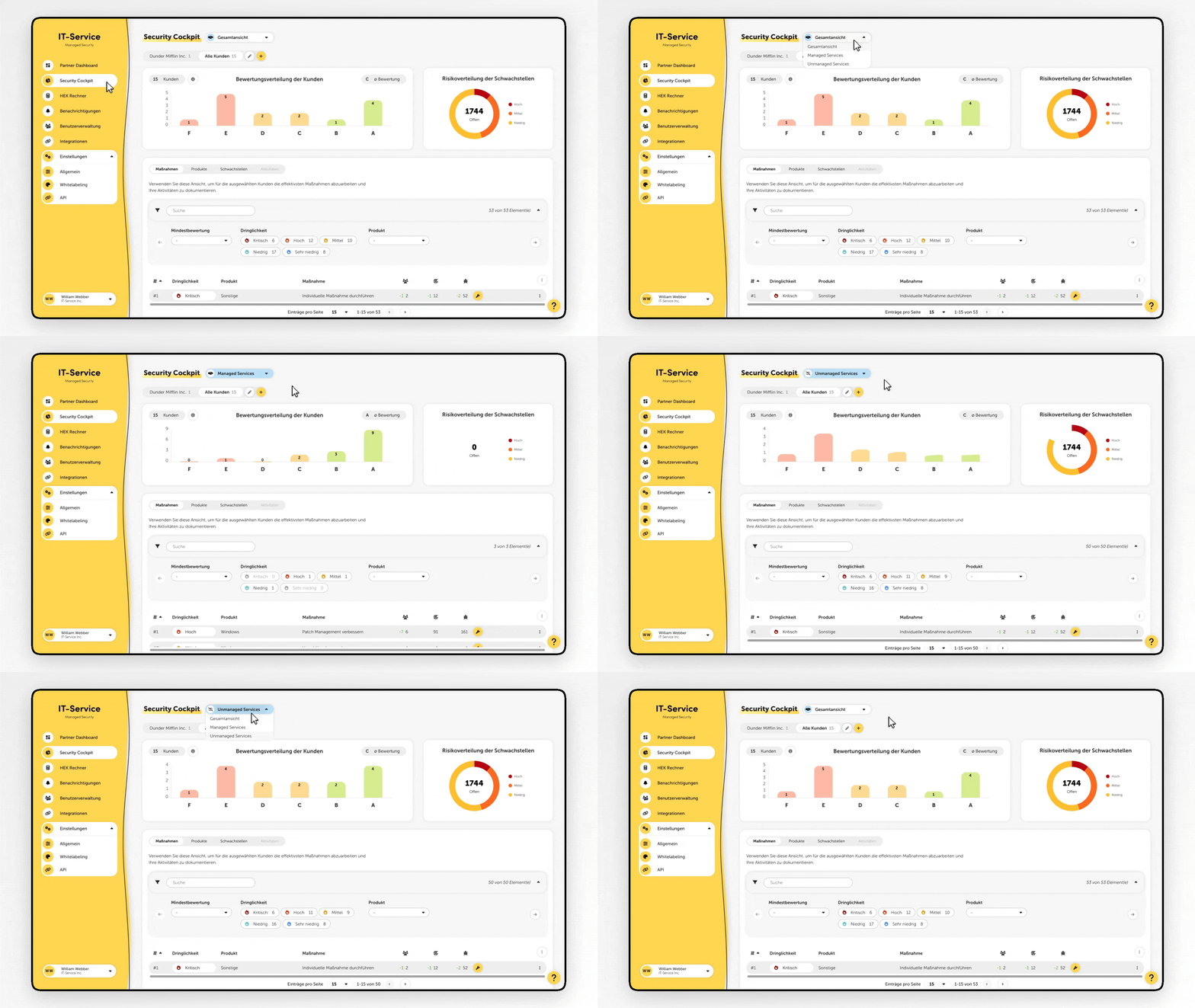
Based on that, security ratings can now be filtered and shown in three different views:
Managed Services
Unmanaged Services
Overview
You can easily switch between these views in multiple places on the platform – for example, in the Partner Dashboard, Security Cockpit, and Management Report.
Ability to automatically exclude devices from the evaluation after just seven days of inactivity
Performance optimizations for a faster user experience
Faster agent check speed
Fixed a bug where the status of the Windows Firewall wasn't detected correctly in certain configurations
Fixed a rare bug in the agent that prevented the compliance check
Fixed a bug in the agent that sometimes caused false positives
Fixed an issue in the management report where agent targets that were also checked via network check showed the wrong test methods
Fixed a bug in the agent where duplicate network entries were shown in the platform
Fixed display errors on warning notices on the "Infrastructure > Internal (Network)" page
Fixed an issue where the agent showed the date of the last network check as the time of the last full check in certain cases.
