Here you can set up service packages, which will then be used for rating your Managed Services view. In a service package, you can define selected products and customers. For each customer, a separate security score is calculated for the selected products, and it only looks at vulnerabilities and measures within the services you manage.
This separate assessment of Managed Services is created independently from the general IT security status. On the platform, you can always switch between the overall view and the focused view of your managed and unmanaged services. This gives you a detailed look at your security situation, which is the basis for targeted recommendations and selling extra services.
To create a new service package, just click the corresponding button in the settings card. You can edit existing service packages and add or remove products and customers at any time. To do this, click either the three-dots menu in the table column or the displayed number of products or customers.
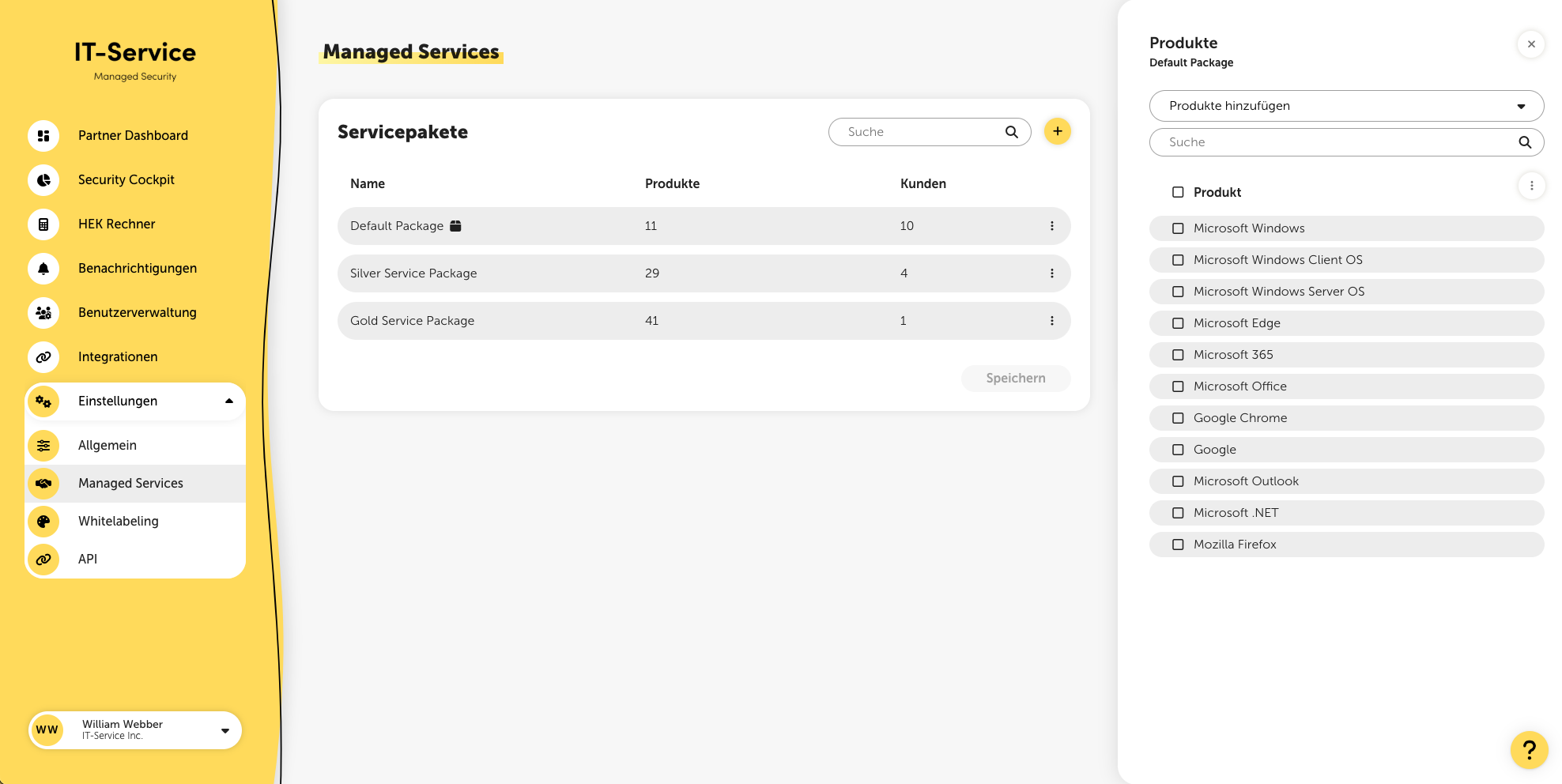
The package icon next to the name of the service package shows the default package that newly created customers are added to by default. You can also change this via the three-dot menu.
Once you've configured your service packages the way you want, just save them by clicking the “Save” button. Please note that it can take up to 15 minutes for your changes to update and become visible. After setting things up, you can switch between viewing your Managed Services, Unmanaged Services, or the overall view on the platform.
You can also define your customers' targets on the relevant infrastructure pages as “managed” or “unmanaged”. Targets set as “managed” count fully in the security rating, no matter which products you selected here. By default, all targets are considered “package-based”, meaning only the vulnerabilities of the products you configured here are included in the security rating.
