This release significantly expands the configuration options for Managed Services. You can now create different service packages and classify customer targets as managed, partially managed, or unmanaged. In addition, there have been numerous improvements – especially to the Agent – as well as several bug fixes.
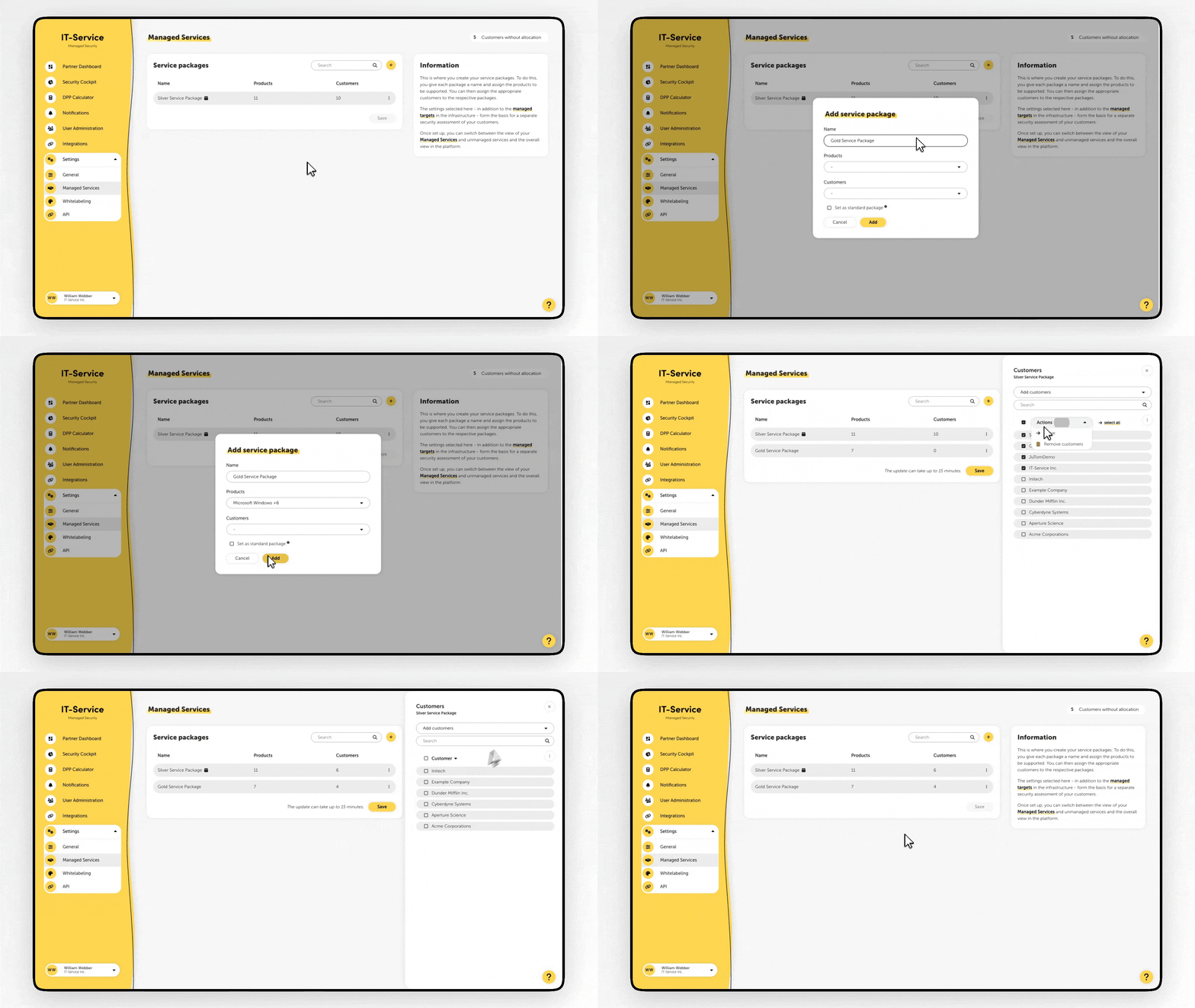
It is now possible to define multiple service packages in the settings. To do this, assign a name to each package and assign the supported products. You can then assign the appropriate customers to the respective packages.
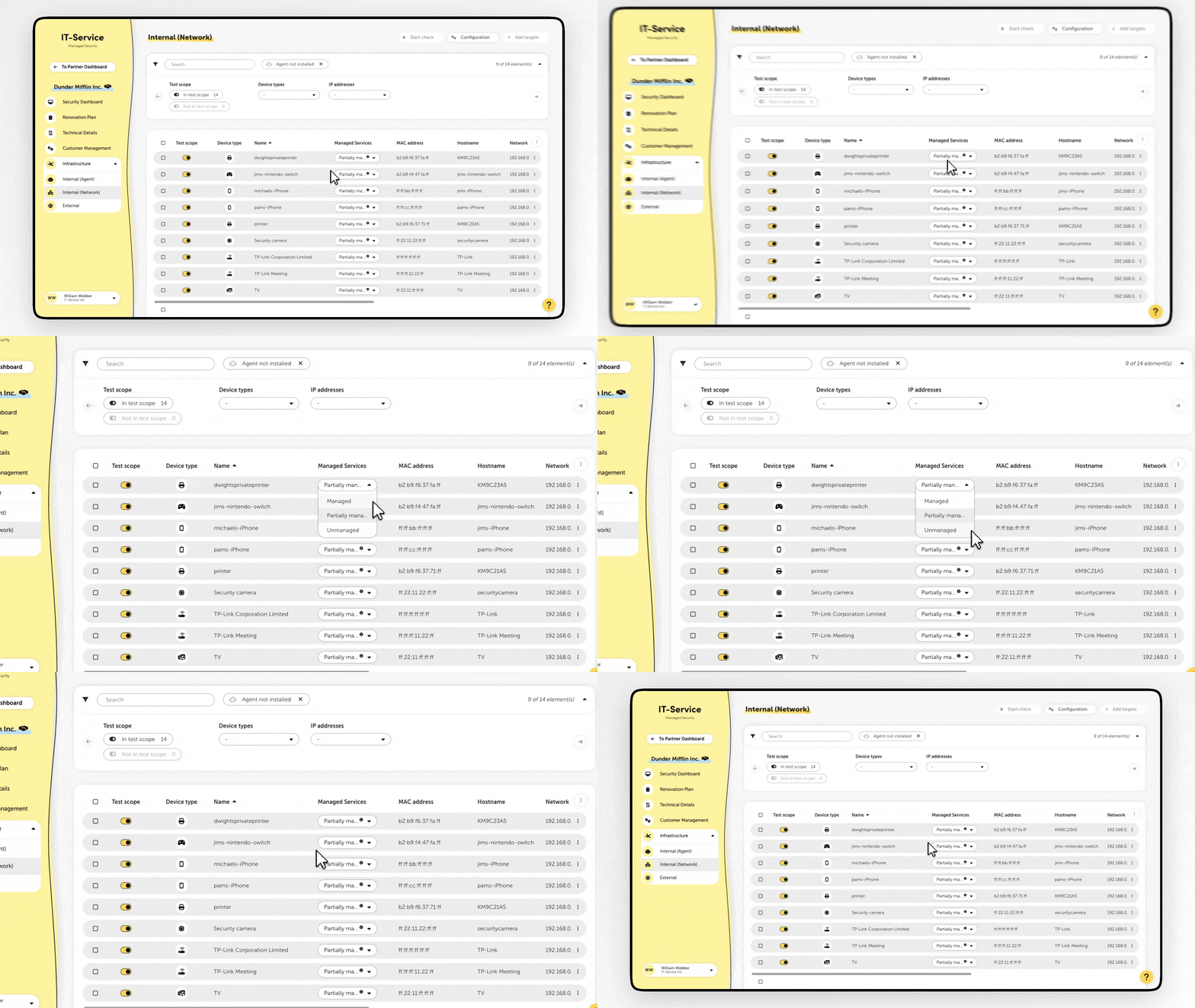
Customer targets can be classified as managed, partially managed, or unmanaged. The setting is made on the respective infrastructure pages.
Managed: All security-related information is part of the Managed Services.
Partially managed: Only the products included in the respective service package are part of the Managed Services.
Unmanaged: The target is not part of the Managed Services.
Significantly reduced duration of an Agent check
Reduced memory and CPU consumption of the Agent
Customizable color of the “Managed Services” filter in the Whitelabeling settings
Fixed a bug that caused the Managed Services filter to be ignored when downloading vulnerabilities in the Partner Dashboard
Bug fix in the Agent's security feed sync, which in rare cases prevented checks from being performed
Fix for an Agent bug that prevented third-party firewall software from being recognized correctly in some cases
Alphabetical sorting of accounts when creating customer groups in the Security Cockpit
Fix for various display errors
