This release brings two key innovations: the Renovation Plan in the Security Cockpit and a revised Management Report. This makes it possible for the first time to plan and track measures across all customers and in a much more transparent way.
In addition, the measures system at customer level has been updated, the Autotask integration adjusted, and various performance improvements and bug fixes implemented.
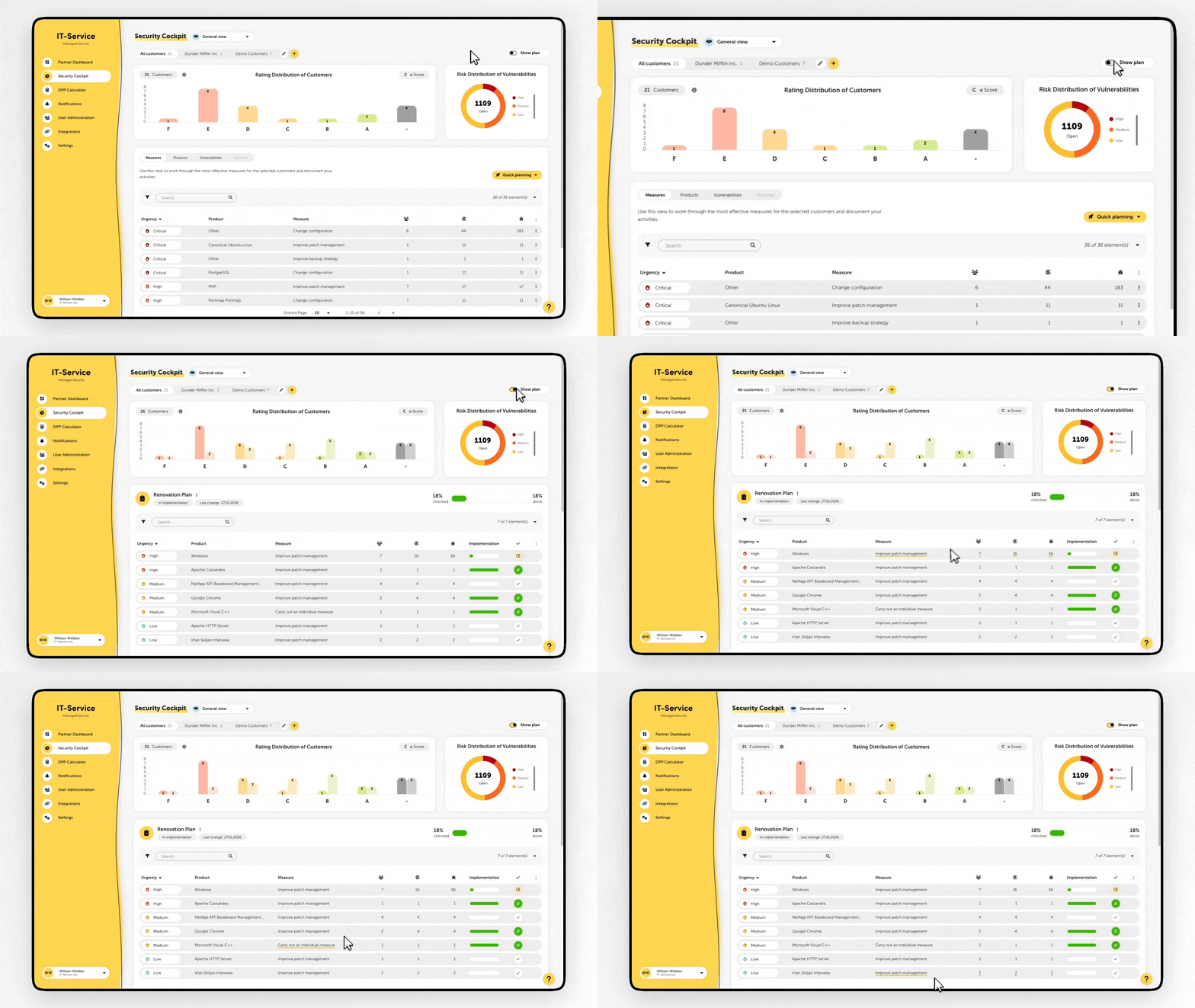
The new Renovation Plan expands the Security Cockpit and, for the first time, enables central measure planning at partner level as well as tracking of the implementation.
Cross‑customer planning of measures
Automatic prioritization of planned measures & progress tracking
Support for multiple Renovation Plans
Manual or automatic confirmation of correctly implemented measures
Cross‑customer Quick Planning
Rating preview for planned measures
New permissions for customer users to edit Renovation Plans (configuration in the partner menu > Settings > General)
New measures system now available for Autotask integration
Deactivation of existing Autotask integrations to avoid duplicate entries
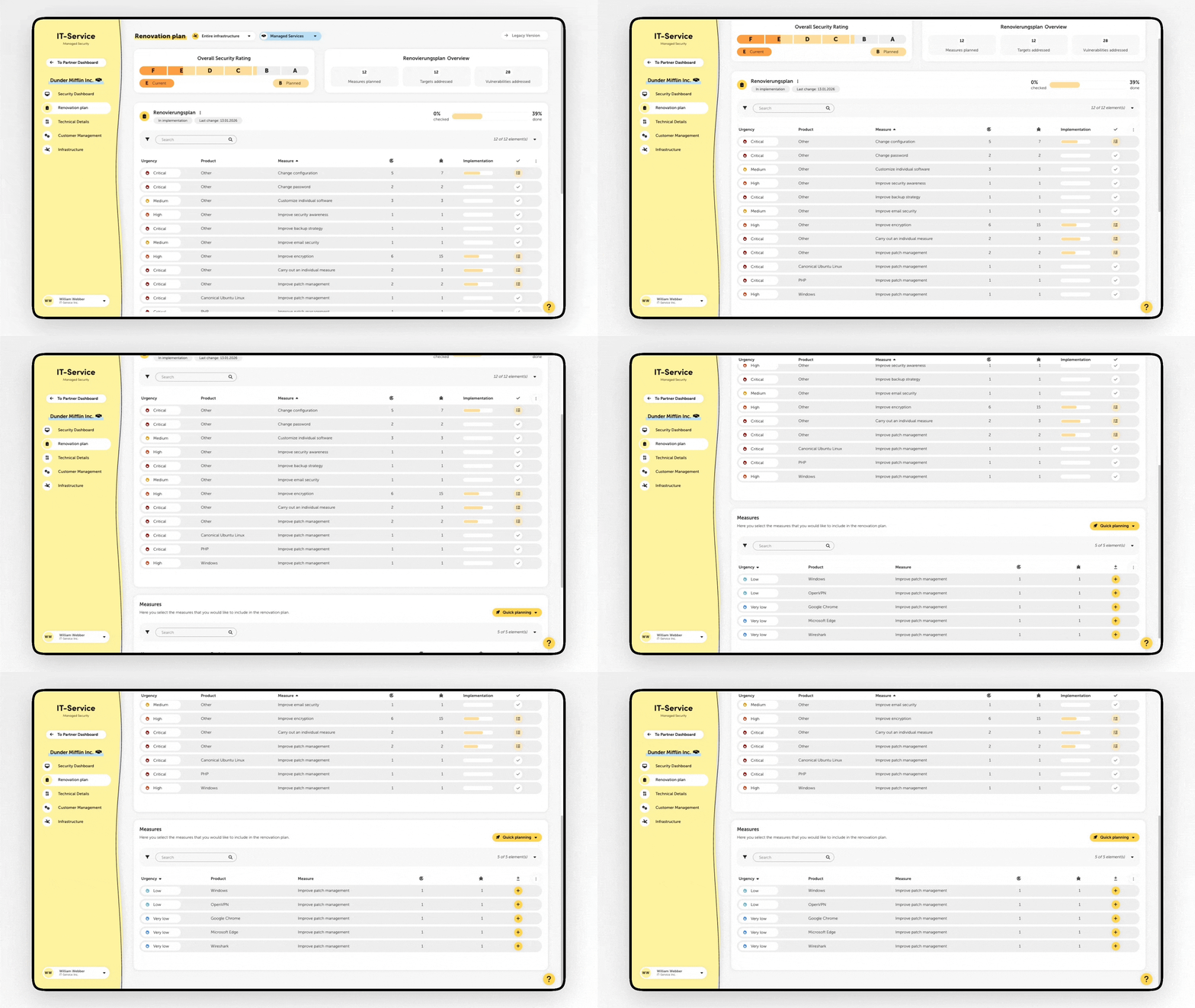
The new measures system is now also available at customer level and has been restructured to simplify workflows and avoid duplicate work.
Replacement of the previous Renovation Plan and old measures system
Existing plans remain temporarily available in read mode and are no longer updated
The Management Report has been extensively revised and expanded both in terms of content and technology.
Updated layout and revised content
Based on the new measures system
Breakdown of the most recently implemented measures
Detailed presentation of the service package (managed targets, products, KPIs)
Extended configuration options for automatic report dispatch
(Configuration in the partner and customer menu > Notifications)
Significant improvement of loading and display speed across the entire platform
Option to deactivate ticket synchronization for Autotask
Fix for an Agent error that led to the creation of large numbers of test files in the directory C:\Windows\System32\config\systemprofile
Fix for various display issues in the gateway wizard
