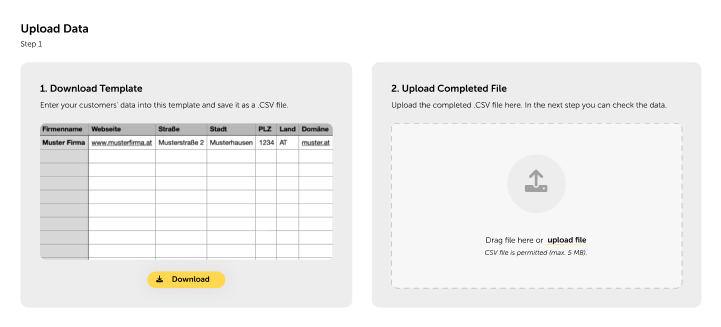
You can use the Customer Bulk Upload to easily add multiple customers to go.lywand.com with one click on the upload button on the Partner Dashboard.
All you need to do is enter your customers' key data into a pre-designed template and upload the CSV file.
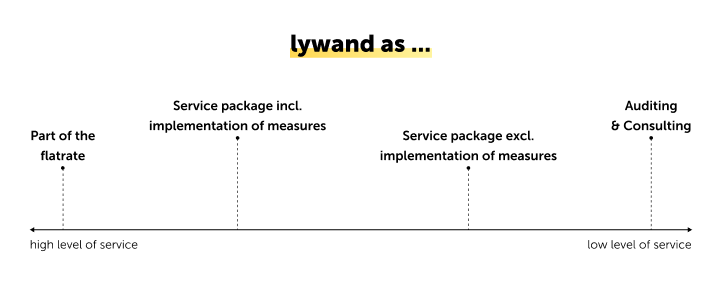
If you still need inspiration on how to sell the service, you are welcome to look at the tested and proven offers from our partners.
We recommend taking advantage of special introductory offers, such as discounted rates for the first three months, to make your offer more attractive.
Email Text Modules
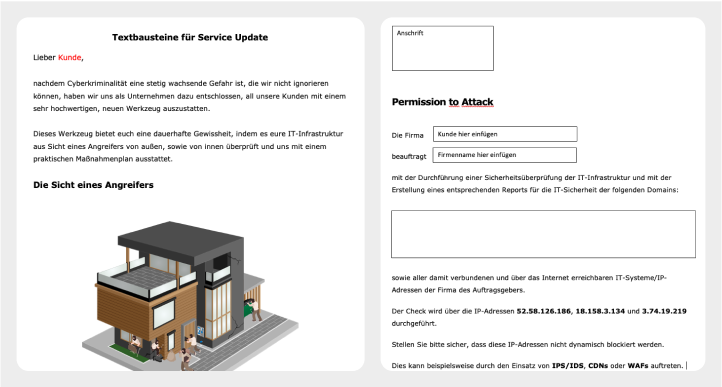
To make it easier for you to communicate with your customers, you can use our ready-made text modules. Simply fill in the key details and customize the text to suit individual needs.
Optional: Permission to Attack
Depending on your level of service, you may also need permission to verify your customers. Our template “Permission to Attack” is available to you for this purpose.
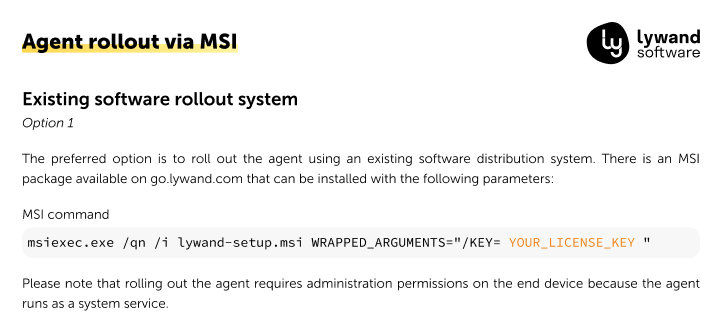
Using a software distribution tool of your choice, you can easily install the agent on multiple devices at the same time. See the Agent Rollout Guide for more information.
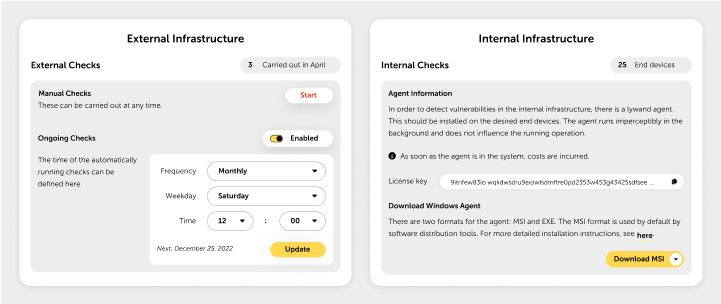
To ensure that you are always up to date externally, we recommend that you run an automated security audit at least once a month. If you have implemented measures, we suggest a second scan to check their effectiveness. If necessary, you can always initiate additional external security audits in the “Infrastructure” menu item.
Carrying out internal security audits is even easier as they take place automatically on a daily basis and you will receive a notification if the rating deteriorates. You can enable this feature in the “Notifications” menu.
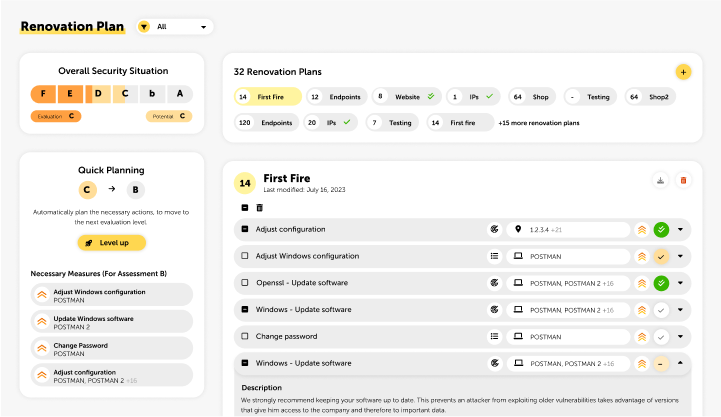
We strongly recommend the use of Quick Planning. With just one click, all necessary measures that lead to the next better rating are planned automatically.
To make planning measures even easier, you can get organized with multiple Renovation Plans. Here are a few examples: Grouping by rating (e.g. all measures to get to E), target, target type, time, location or department.
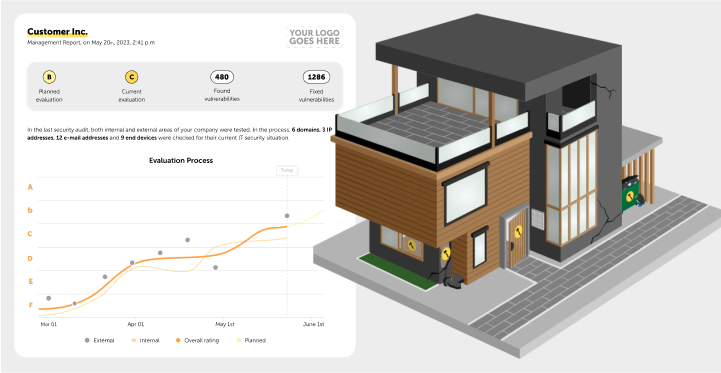
When presenting the results to your customers, we recommend that you use either the Management Report or the House Analogy. Both options are suitable for explaining complex information in easy-to-understand language.
To add your own branding to the Management Report, you can upload your logo and adjust the colors in the Whitelabeling Settings.
There is an option to automatically send the Management Report to customers. This setting can be found in the customer menu under “Customer Management” in the “Notifications” section.
