All results of the security checks that have been carried out are automatically summarized in a clear, customer-specific management report. This allows you to present your customers with the current security status and the measures already implemented in a clear and concise way.
To open this report, click the "Management Report" button in the top right corner of the Security Dashboard.
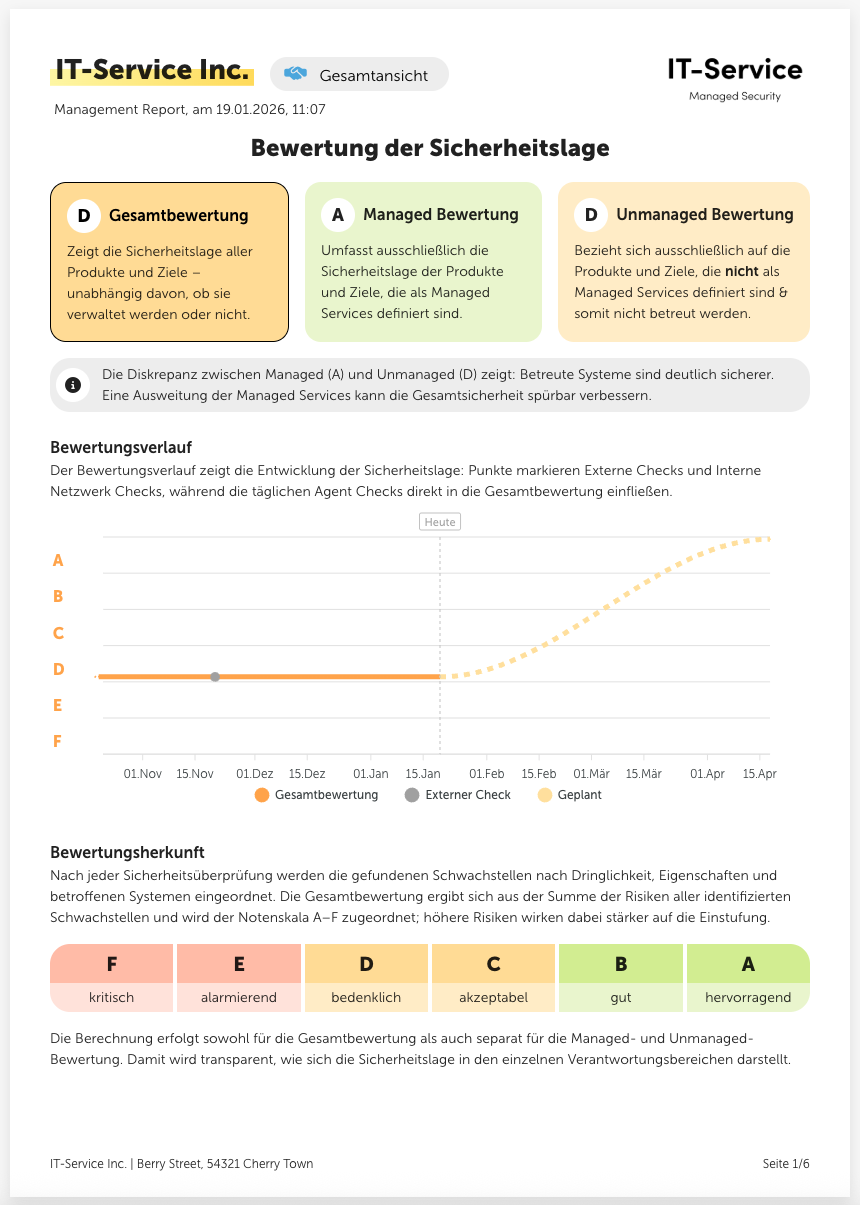
Here you get a rough overview of your customer's current security status. If you have defined Managed Services, three ratings will be displayed here.
The overall rating of your customer,
the managed rating, which only includes the products of the assigned service package,
and an unmanaged rating, which consists of products and targets that are not defined as managed services.
Below you can see a graph that shows the customer's rating history, as well as a short explanation of the rating origin, which also shows the rating scale. You can change the displayed time period of the graph by scrolling with the mouse wheel.
On the second page of the management report you'll find important info about the checks. This includes metrics like the check freshness, the check coverage, the number of checks performed and the number of identified vulnerabilities.
On top of that, the different check types and the related check methods are briefly explained.
Here you can find information about the respective service package, such as the associated products or the number of vulnerabilities found in it. This page is only shown if a service package has previously been assigned to the customer.
At the beginning of this section, you’ll find the number of resolved vulnerabilities as well as the number of targets with resolved vulnerabilities. Below that, you’ll see a graphical representation of the implemented measures and a list of the next recommended measures by urgency.
In this section, at the top of the page, you’ll find the number of scanned targets. Below that, you’ll see a complete list of all these targets. There’s also a legend here that explains the different elements – such as the risk ratings.
There are different ways you can share the management reports with your customers.
When you have the management report open in the platform, click the button with the printer icon in the top right to save it as a PDF file.
You can also send management reports automatically by email. Here you have two different options:
You can enter the desired email addresses (e.g. the customer’s) directly in the customer account under Customer management > Notifications. The management report will then always be sent automatically on the first of each month.
On partner level, under Notifications you can have the management reports of all customers sent as a zip attachment to the desired email addresses. Here too, the management reports are sent at the beginning of the month.
