We've come up with a house analogy to make communicating with your customers easier. It's a visually designed way to show the security situation, which you can display using the “Visualize” button in the Security Dashboard. Using the picture of a house, the current security situation of the company is shown in a simple, visual way.
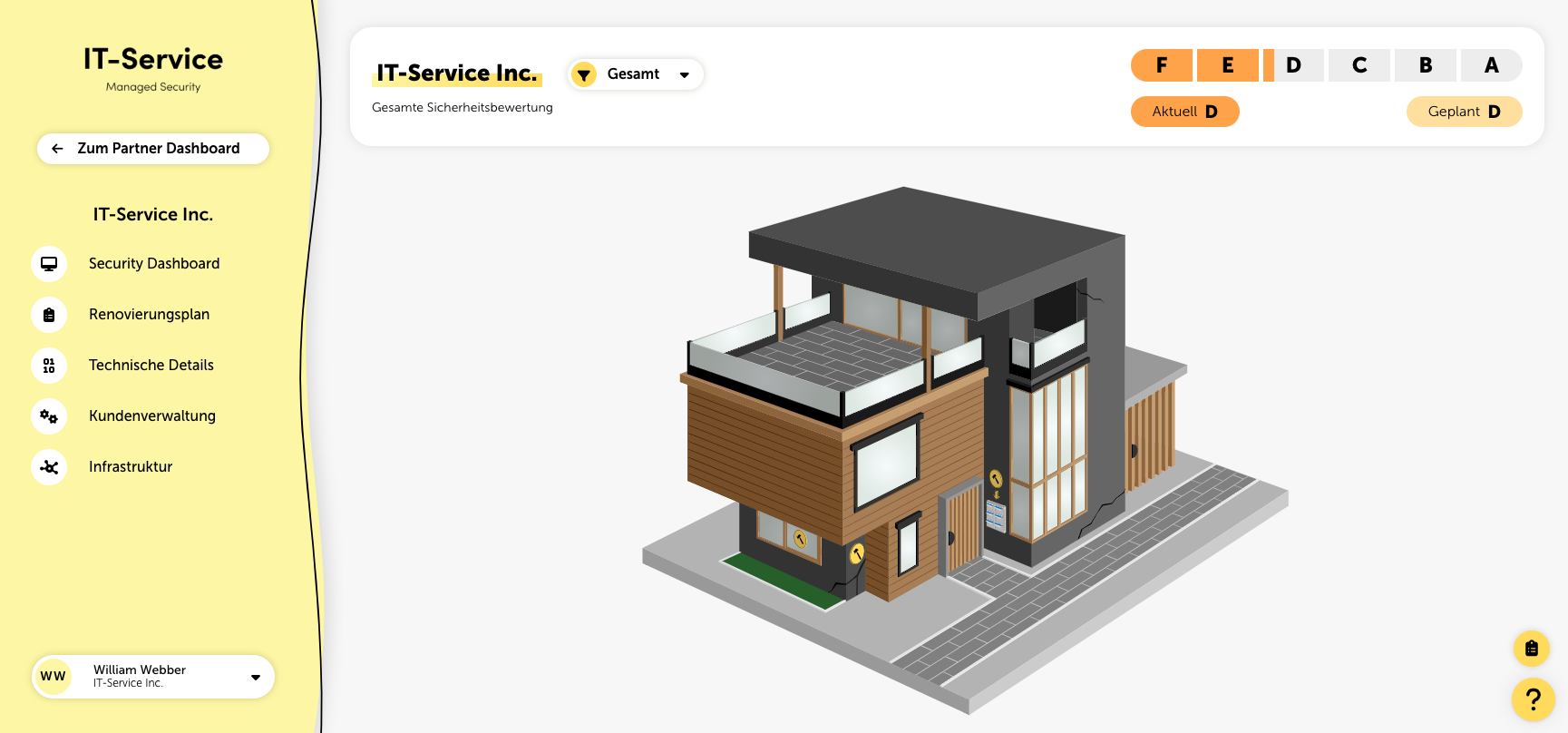
When it comes to the house analogy, we look at five different areas: front door, facade, windows, mailbox, and trash. These show the state of the house—and so the current IT security situation.
As an IT service provider, you want to give your clients clear info on how secure or insecure their infrastructure and IT resources are. But CEOs often don't get IT jargon, and long reports usually just end up in a drawer.
With the house analogy, you can explain your clients' security situation in simple words.
You could use these examples:
The front door is like a firewall that blocks unwanted access from outside.
The facade is like an anti-virus program that protects you from malware.
The windows are like an encryption system that keeps your data safe from unauthorized access.
The mailbox is like a spam filter that keeps unwanted emails away.
The trash is like a data shredder that makes sure deleted data can't be restored.
The condition of the house reflects the evaluation of the IT security situation. For the house, we distinguish between three states: needs a lot of renovation, needs some renovation, and doesn't need renovation. Each area can have any of these three states.
If you already have measures planned, you can also show the house in its target state during a customer conversation. Just click the button with the clipboard icon at the bottom right next to the house.
The planned measures will be displayed and mapped directly onto the relevant areas of the house, and the resulting improvements will be shown.
