The Check Insights give you useful info about each target and the security checks done on them. This menu item is especially insightful to get a look at the current status of the checked targets.
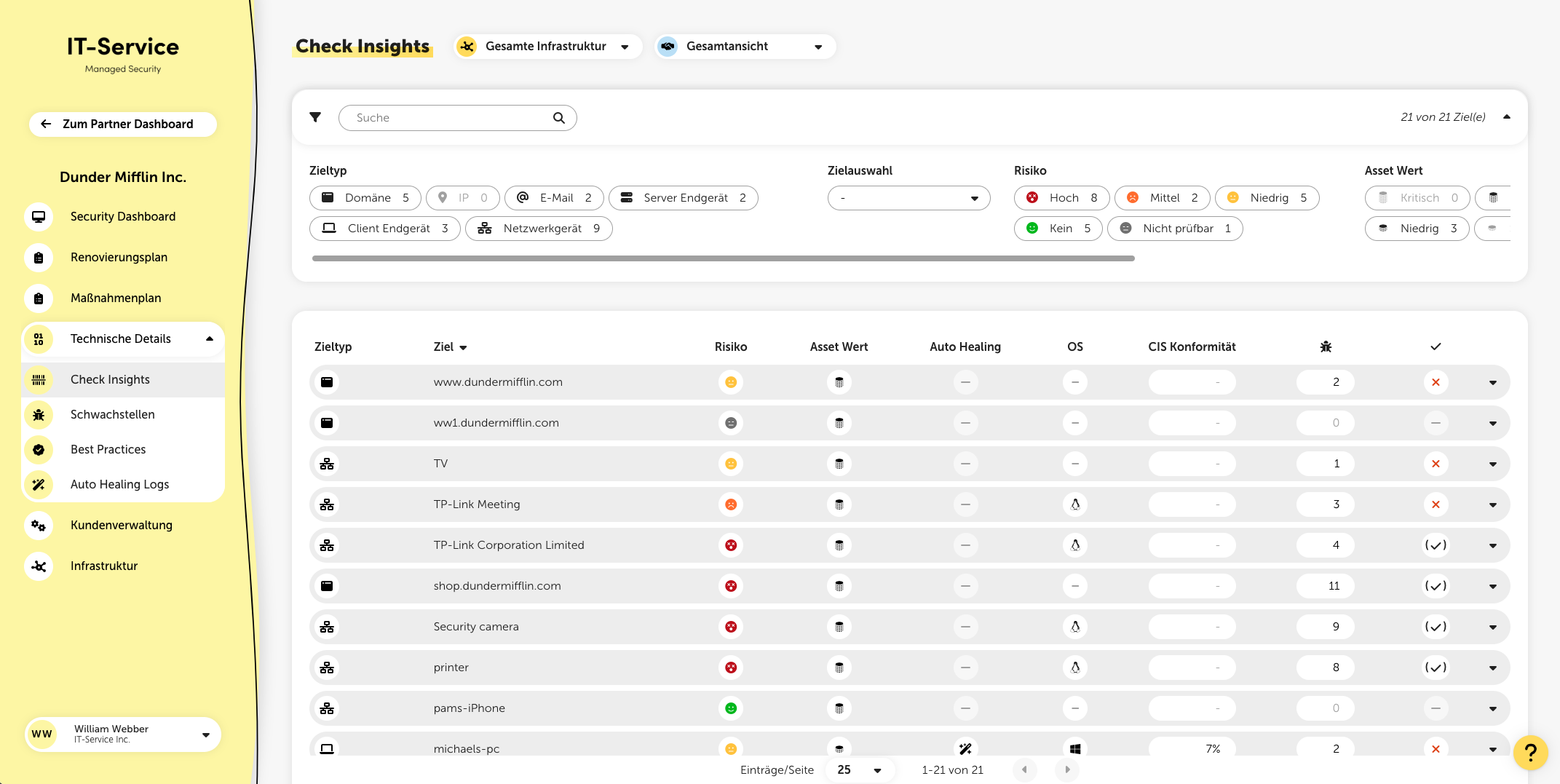
In the filter panel, you can filter targets by type, specific targets, risk rating, asset value, and check freshness. Additionally, the full-text search lets you filter for specific terms.
The Check Insights list all checked targets, each with the following info:
Target type
Target name
Target risk rating (split into high, medium, low, none, and not reviewable)
Asset value
Auto Healing status (only shown if Auto Healing is active)
OS – the target's operating system
CIS compliance (only relevant for targets with agent installed)
Number of found vulnerabilities
Info on whether actions are planned for this target
Risk rating
The risk rating here shows the aggregated risk of all vulnerabilities present on the target. If the risk is marked as “Not reviewable”, it means the scan couldn't fully reach the target – this could happen during an external or network check.
Auto Healing status
If Auto Healing is enabled for the customer, a corresponding indicator in the form of a magic wand is shown here. For targets that need a restart to finish installing updates, this indicator turns orange.
If you click on a specific target, extra details will expand. These details are different depending on the target type. From here you can also start checks manually if needed. No matter the target type, you’ll always see when the last check ran for that target.
For internal targets with the agent installed, you’ll see multiple tabs with different info here. In the “Overview” section, you’ll find general info about a target, like the number of open ports, active users, and installed programs.
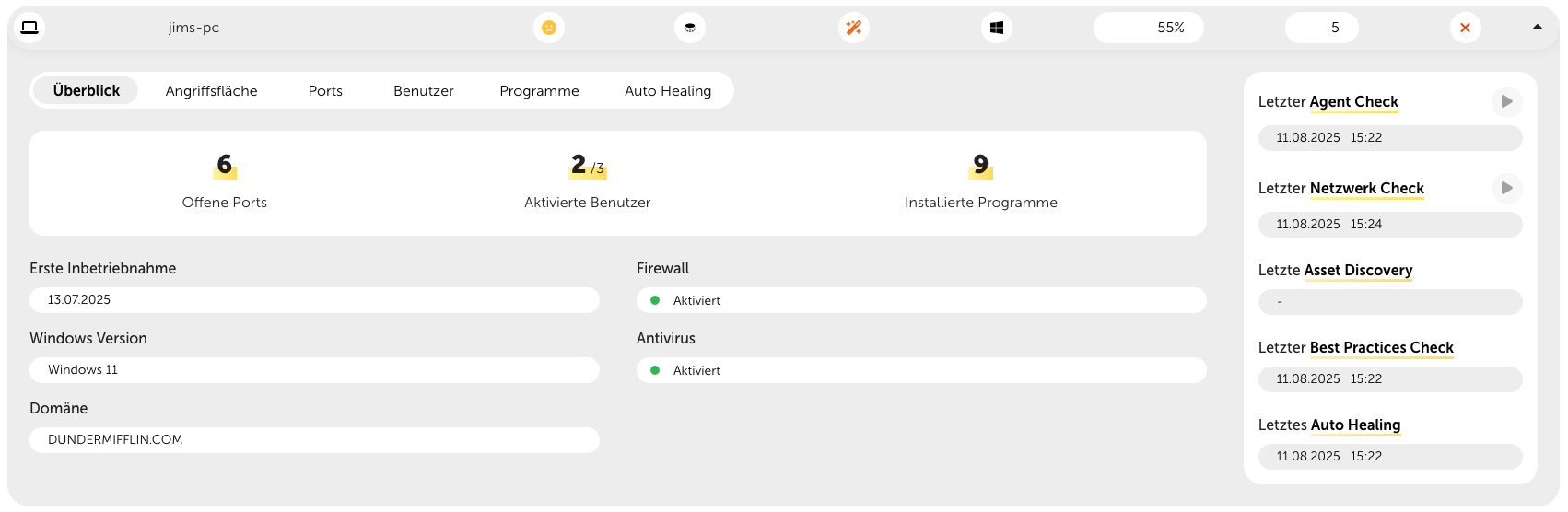
More tabs
Visualization of the attack surface
Open ports with protocol and process
Local users with groups, status (enabled or not) and info on whether the user has admin rights
List of all installed programs, grouped by vendor, with version info
Log of the last Auto Healing activities
Visualization of the attack surface
Overview of open ports with network protocol, category (remote access, web, database, ...) and number of found vulnerabilities
By clicking on the listed ports, you can also see products with version info and number of found vulnerabilities
