On this page, you can find the integrations we support for external ticketing systems. Here, you can choose between an integration with c-entron and TANNS via woasi by ideevo GmbH or with Autotask PSA by Datto.
Thanks to woasi, lywand can be directly integrated into the c-entron Serviceboard. This allows vulnerability reports to be automatically captured, forwarded to the right place, and reduces manual effort to a minimum. This feature provides the following options:
Automated ticket creation
Customizable categories & assignments
Optimized process automation
You can find more information about using the c-enton ticketing integration directly on woasi.
With the help of woasi, vulnerabilities from Lywand can be read and categorized according to your own rules. By connecting to TANNS, tickets can be generated fully automatically. This feature offers the following possibilities:
Fully automated and individual ticket creation according to your own rules
Definition of individual categories, including assignments and due dates
Automation of routine processes
You can find more information about using the TANNS ticketing integration directly on woasi.
By integrating with the Autotask PSA ticketing system from Datto, you have the ability to manage and process suggested actions directly in Autotask.
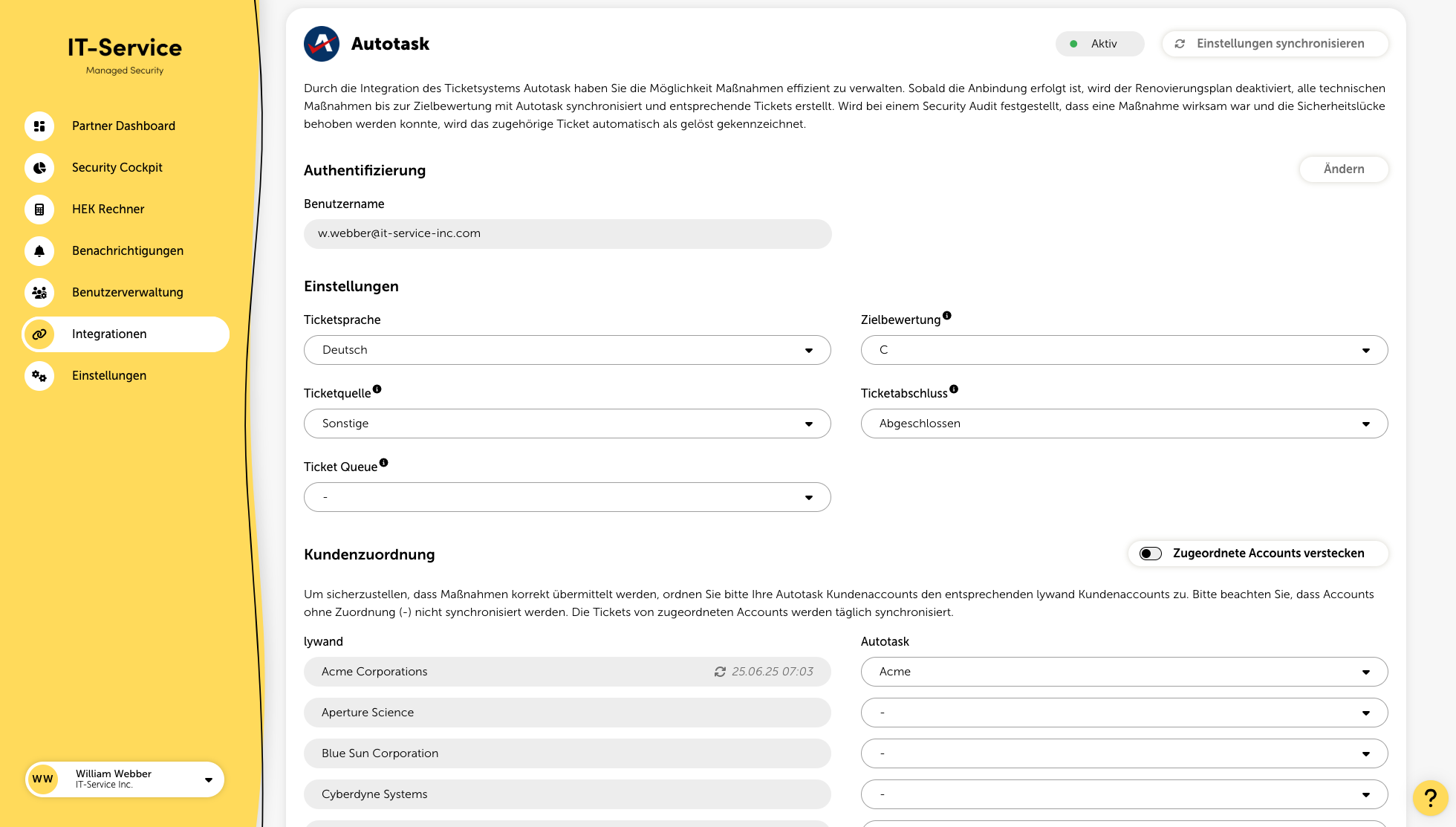
Once the setup is complete, all actions will be synchronized with Autotask, and corresponding tickets will be created.
If a security audit determines that an action was effective and the security gap has been closed, the associated ticket will automatically be marked as resolved.
To establish a successful connection, it is necessary to create an API user in Autotask.
In Autotask, select the option "Custom" in the "API Tracking Identifier" field.
Enter the name of the internal integration, e.g., "lywand."
Enter the generated tracking identifier along with the username and password into the respective fields on the platform.
A detailed guide from Autotask can be found here.
Ticket Language
Select the language in which tickets should be created.
Target Rating
The target rating allows you to define up to which rating actions should be synchronized. For example, if you select “C,” all necessary actions that lead to a “C” rating will be synchronized.
Ticket Source
To use lywand as a ticket source, you need to set up the new ticket source in Autotask and then select it here. Here you can find a guide for this. If the source is not displayed, you can synchronize the Autotask settings in the top right.
Ticket Completion
Here you can select the desired status after the ticket has been successfully completed.
To ensure actions are transmitted correctly, assign your Autotask customer accounts to the corresponding lywand customer accounts. Accounts without an assignment (-) will not be synchronized. Tickets from assigned accounts will be synchronized daily.
