The following sections cover common error cases related to the Agent.
The device is currently online and on the Infrastructure page in the target overview for the agents, you’ll also see a current timestamp in the “Last online” column. However, there haven’t been any agent checks in a while, and the “Last checked” column shows an outdated timestamp.
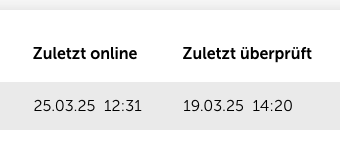
The device is currently online, but on the Infrastructure page in the target overview for the agents, you’ll see an outdated timestamp in the “Last online” column. There also haven’t been any agent checks in a while, and the “Last checked” column shows an outdated timestamp.
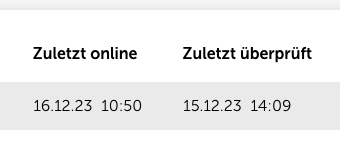
The device is online, but the agent is not up to date or on the infrastructure side of the agents the status “Update failed” is shown. This often also means that the Lywand service isn't running and no scans get done.
The agent was recently installed on a device installed, but it's not shown in the target overview on the infrastructure side of the agents displayed, even though the Lywand service is running on the system.
The following solutions might help with several of the problems above. Please try going through these if you run into an issue.
If you're having problems with the Lywand service you should check in the Windows Services manually.
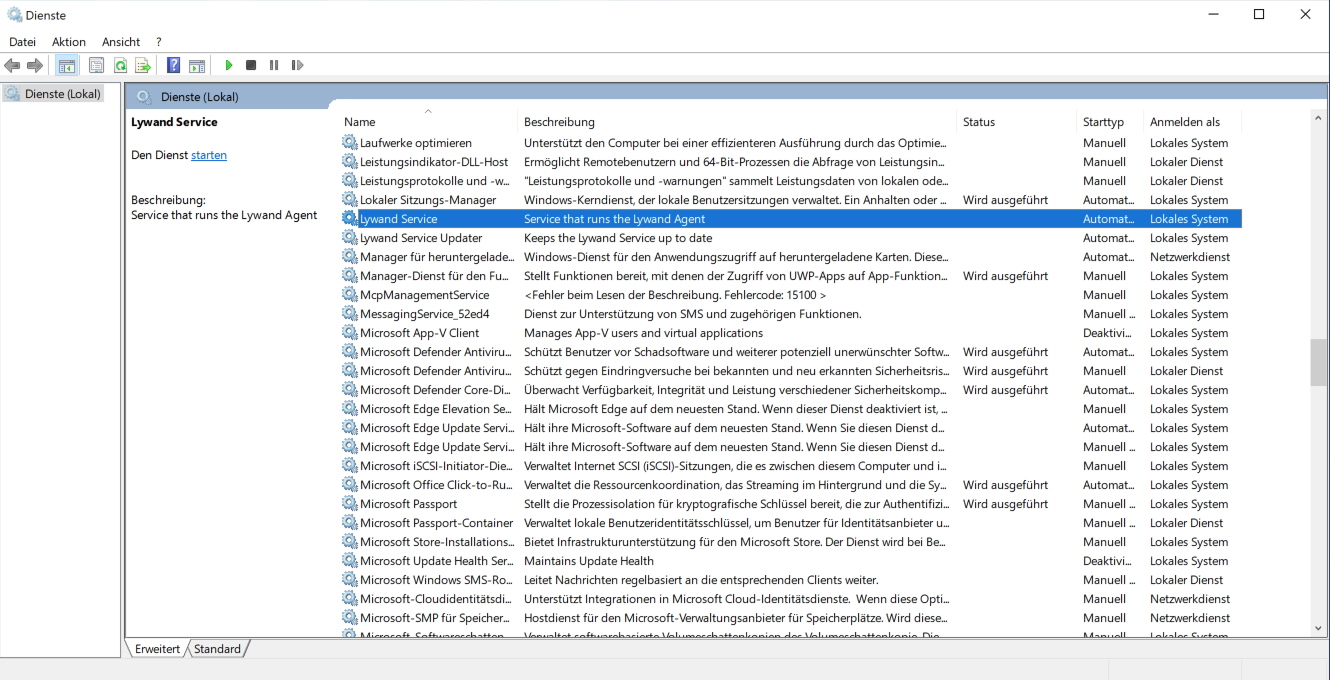
If the agent isn't running any checks or the Lywand service keeps shutting down, you should check the rollout configuration of any RMM you might be using. If the agent gets redeployed during a scan, the scan can't be finished. A misconfigured RMM could cause no checks to be performed.
If the Lywand service isn't running and/or there aren't any agent checks, you should also try adding an exception for our software in the Endpoint Protection too. Agent problems are often caused by antivirus software messing with our services.
The best thing to do is set an exception for the digital certificate of our software. The certificate is included in the agent binaries and you can extract it from there.
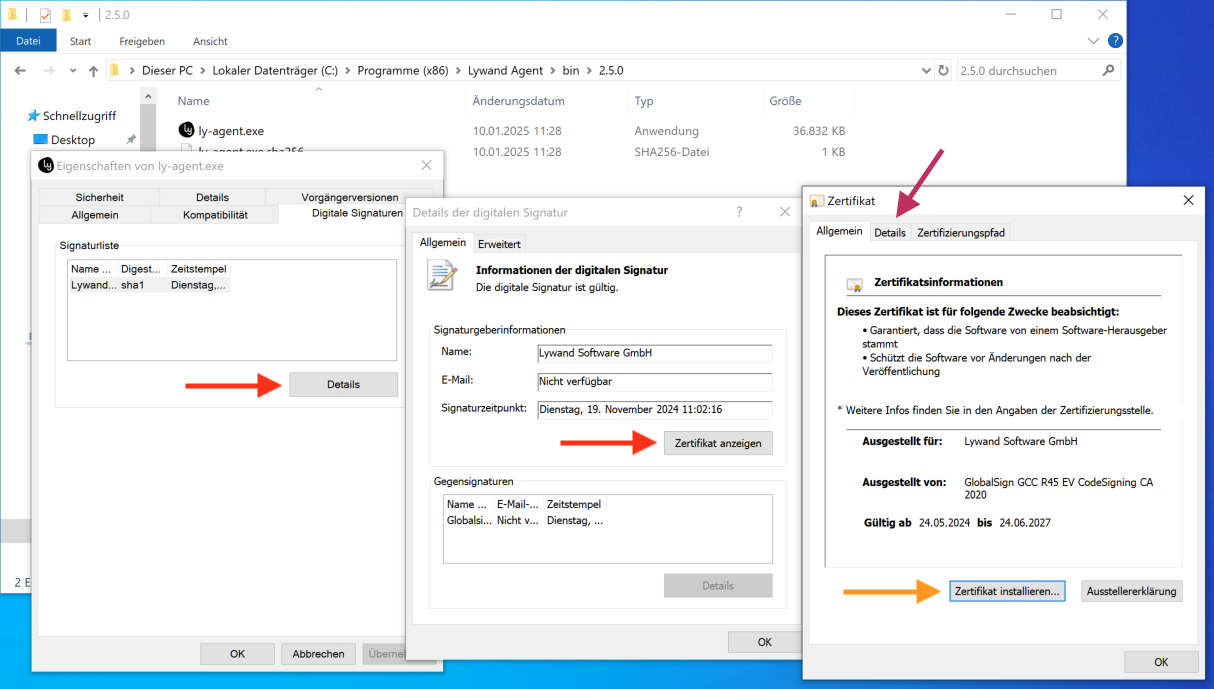
Some AV solutions let you mark certificates from the system's certificate store as trusted. For that, you first need to install our certificate on the system (check the orange arrow in the screenshot).
Other providers let you add a certificate file directly as an exception. To do this, you first need to export the certificate as a file (see the purple arrow in the screenshot).
If you can't add an exception with the certificate, you can also try excluding our services and binaries instead. Our software is made up of the following components:
lywand-service-updater-windows-x64.exe (The file behind the "Lywand Service Updater" service)
ly-service.exe (The file used by the "Lywand Service" that starts the scans)
ly-agent.exe (The actual agent that runs the scans)
These files are in the agent directory under “C:\Program Files (x86)\Lywand Agent”.
If the agent checks aren't up to date, even though the Lywand Service is running on the device, it might be because our software doesn't have the needed firewall exceptions. This can also be the reason if the agent is not up to date or doesn't show up on the platform right after installation. To work properly, the agent needs access to these URLs:
https://agent.lywand.com
https://go.lywand.com
https://definitions.lywand.com

