The Security Cockpit now has new features like trend analysis and a view for the most vulnerable products. On top of that, a much-requested feature is here: you can now start multiple agent checks at once – plus plenty of UI tweaks, performance improvements, and bug fixes.
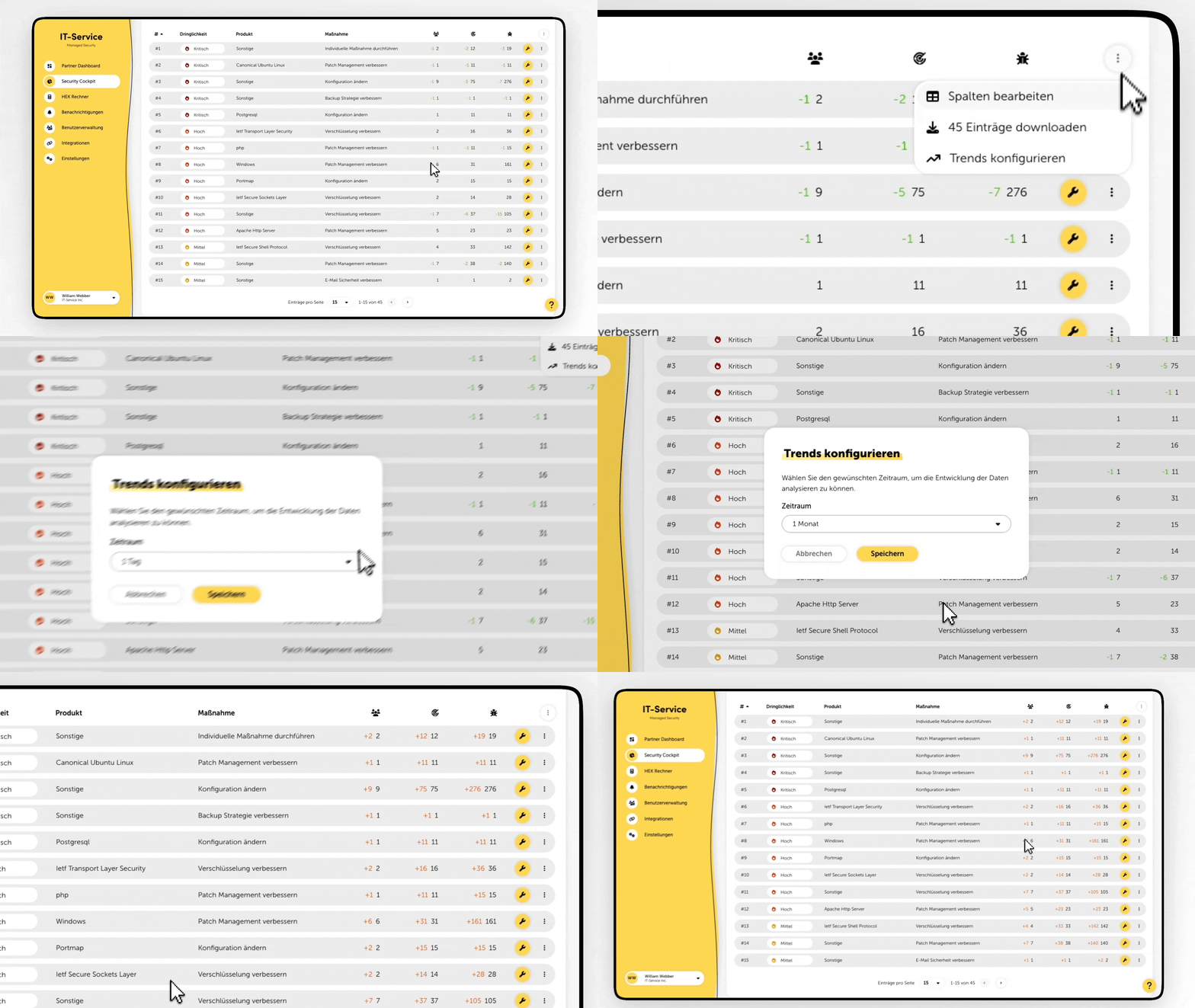
Trends
From now on, you can set up trends from the context menu in the actions table and analyze how the recommended actions evolve even better.
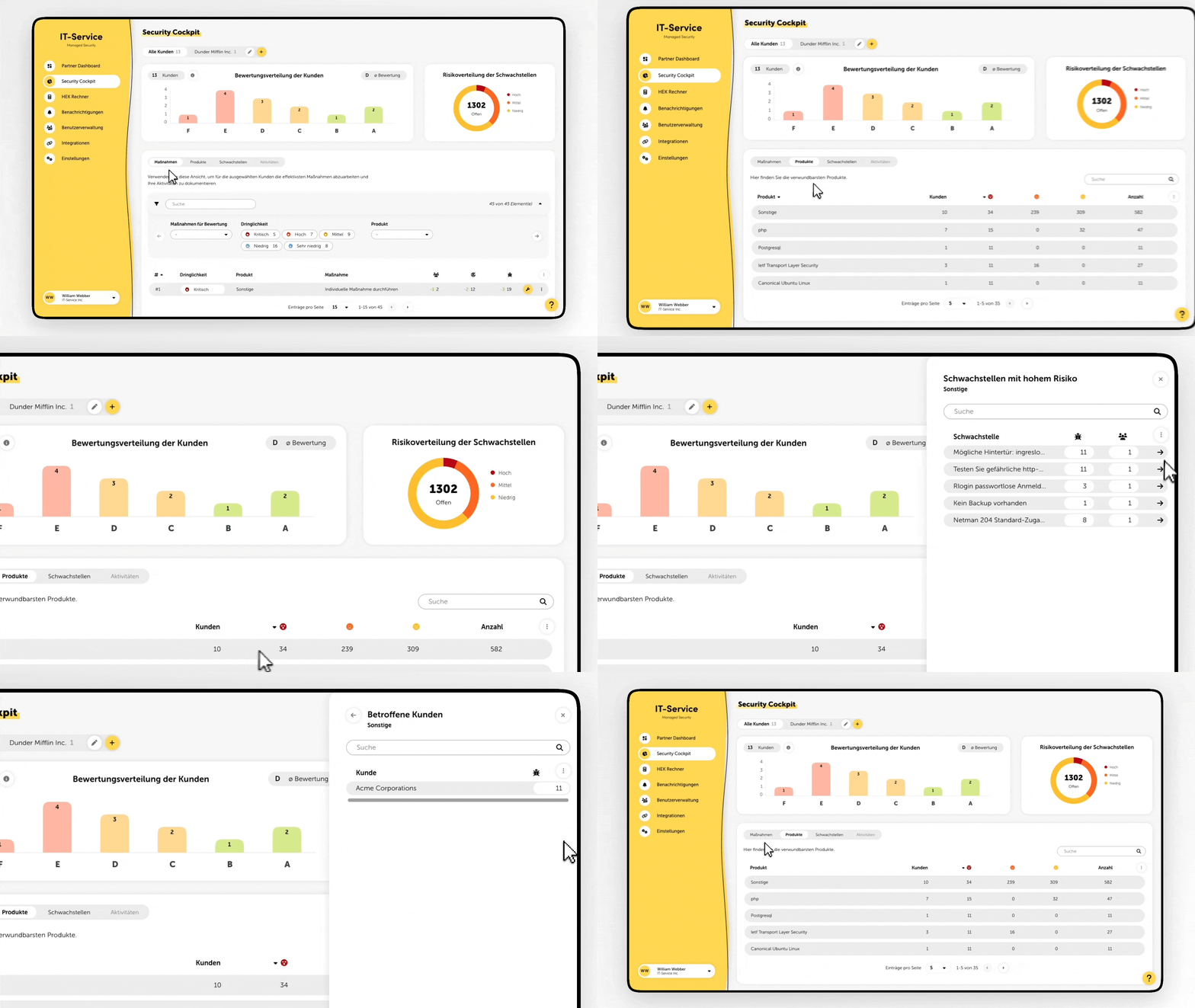
Products
Also new in the Security Cockpit is the “Products” tab. This shows an overview of the most vulnerable products in your customers’ IT environments.
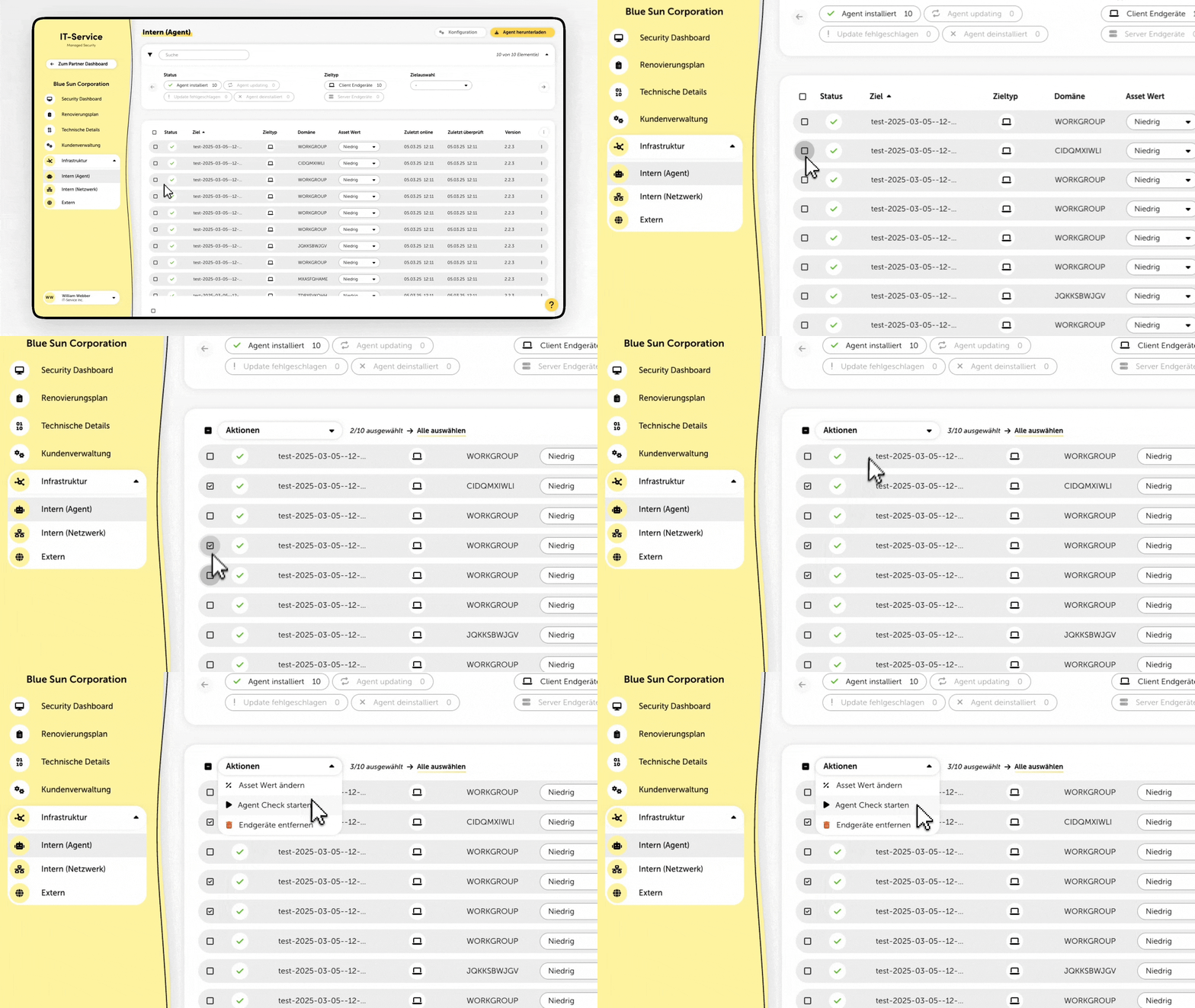
On the “Infrastructure > Internal (Agent)” page, you can now also start an Agent Check for several targets at the same time using a bulk action.
Display of the last analysis drilldown in Security Cockpit when using the browser's "Back" function
Sticky page selection in all tables
Shorter duration for external checks
Revised description texts for TANSS and c-entron integrations
Added tooltips for icons on different pages
Links in the pie chart of the Security Dashboard
Linking vulnerabilities in port lists of Check Insights to the respective vulnerability details view
Added auto-complete for MFA code at login
Linking goals in the renovation plan to the corresponding Check Insights
Fixed an issue where “Start Check” wasn't clickable
Fixed a bug where external checks didn't return products
